概念
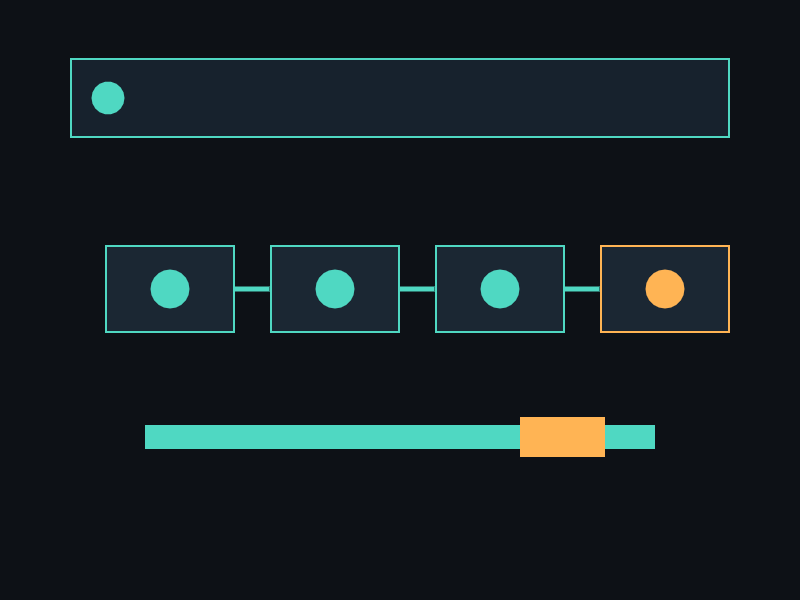
Sound 是最常用的音频类型:短小、低延迟、可多实例同时播放。 加载时整个文件解码到内存,播放无 I/O 开销。 适合:射击、爆炸、按钮点击、脚步等频繁触发的音效。 支持 3D 空间定位(SetPosition)和音量渐变(Fade)。
API 速查
| 函数 | 说明 |
|---|---|
int xgeSoundLoad(xge_sound pSound, const char* sPath) | 加载音效文件 |
int xgeSoundLoadGroup(xge_sound pSound, const char* sPath, xge_audio_group pGroup) | 加载到指定分组 |
int xgeSoundPlay(xge_sound pSound) | 播放 |
int xgeSoundStop(xge_sound pSound) | 停止 |
int xgeSoundPause(xge_sound pSound) | 暂停 |
int xgeSoundResume(xge_sound pSound) | 恢复 |
void xgeSoundSetLoop(xge_sound pSound, int bLoop) | 设置循环 |
void xgeSoundSetVolume(xge_sound pSound, float fVolume) | 设置音量 |
void xgeSoundSetPosition(xge_sound pSound, float fX, float fY, float fZ) | 3D 位置 |
void xgeSoundFade(xge_sound pSound, float fFrom, float fTo, int iMilliseconds) | 音量渐变 |
int xgeSoundIsPlaying(xge_sound pSound) | 是否正在播放 |
int xgeSoundAddRef(xge_sound pSound) | 增加引用 |
void xgeSoundFree(xge_sound pSound) | 释放 |
int xgeSoundFallbackSet(const char* sPath) | 设置全局回退音效 |
int xgeSoundFallbackGet(xge_sound pSound) | 查询是否为回退 |
void xgeSoundFallbackClear(void) | 清除回退设置 |
编译本章示例
gcc -O2 -I. -o ch110.exe ch110_main.c build\xge.lib -lm -lws2_32 -liphlpapi -lgdi32 -luser32 -lshell32 -lopengl32 -lole32 -lwinmm -lavrt
.\ch110.exe
示例:射击音效 + 3D 定位
// 加载射击音效
xge_sound_t sndShoot;
if (xgeSoundLoad(&sndShoot, "sfx/shoot.wav") != 0) {
    xgeLogWrite(XGE_LOG_ERROR, "加载失败");
}

// 播放(每次调用触发一次)
xgeSoundPlay(&sndShoot);

// 3D 定位:在敌人位置播放爆炸
xge_sound_t sndBoom;
xgeSoundLoad(&sndBoom, "sfx/explosion.ogg");
xgeSoundSetPosition(&sndBoom,
    enemy.x, enemy.y, 0);
xgeSoundPlay(&sndBoom);

// 循环音效(引擎轰鸣)
xge_sound_t sndEngine;
xgeSoundLoad(&sndEngine, "sfx/engine.wav");
xgeSoundSetLoop(&sndEngine, 1);
xgeSoundSetVolume(&sndEngine, 0.4f);
xgeSoundPlay(&sndEngine);

// 淡出后停止
xgeSoundFade(&sndEngine, 0.4f, 0.0f, 2000);

// 释放
xgeSoundFree(&sndShoot);
xgeSoundFree(&sndBoom);
xgeSoundFree(&sndEngine);
完整代码
将以下代码保存为 ch110_main.c,编译后运行即可看到音效播放与 3D 定位效果:
#include "xge.h"
#include <math.h>

static xge_sound_t g_sndClick;
static xge_sound_t g_sndEngine;
static xge_font g_font = NULL;
static float g_time = 0.0f;
static int g_playing = 0;

static int onFrame(void* pUser) {
    (void)pUser;
    g_time += 0.016f;
    xgeClear(0x081114FF);

    // 更新循环音效的 3D 位置(绕圈)
    float px = 400.0f + 200.0f * cosf(g_time);
    float py = 300.0f + 150.0f * sinf(g_time);
    xgeSoundSetPosition(&g_sndEngine, px, py, 0);

    // 绘制声源位置
    xgeShapeCircleFill(px, py, 12, 0xFF6B5EFF);
    xgeShapeCircleFill(400, 300, 8, 0x4FD8C2FF, 2);

    // HUD
    xgeTextDraw(g_font, "Space: play click | E: toggle engine",
        50, 50, 0xFFFFFFFF);
    char buf[64];
    sprintf(buf, "Engine: %s", g_playing ? "ON" : "OFF");
    xgeTextDraw(g_font, buf, 50, 90, 0xFFFFFFFF);

    // 键盘控制
    if (xgeKeyPressed(XGE_KEY_SPACE)) {
        xgeSoundPlay(&g_sndClick);
    }
    if (xgeKeyPressed('E')) {
        g_playing = !g_playing;
        if (g_playing) {
            xgeSoundPlay(&g_sndEngine);
        } else {
            xgeSoundFade(&g_sndEngine,
                0.5f, 0.0f, 500);
        }
    }
    return XGE_OK;
}

int main(void) {
    xge_desc_t d = {0};
    d.iWidth  = 800;
    d.iHeight = 600;
    d.sTitle  = "ch110 - Sound";
    d.iFlags  = XGE_INIT_VSYNC;
    xgeInit(&d);
    xgeAudioInit();

    // 加载音效
    xgeSoundLoad(&g_sndClick, "sfx/click.wav");
    xgeSoundLoad(&g_sndEngine, "sfx/engine.wav");
    xgeSoundSetLoop(&g_sndEngine, 1);
    xgeSoundSetVolume(&g_sndEngine, 0.5f);

    g_font = xgeFontLoad("res/font/default.ttf", 24);
    xgeRun(onFrame, NULL);

    xgeSoundFree(&g_sndClick);
    xgeSoundFree(&g_sndEngine);
    xgeFontFree(g_font);
    xgeAudioUnit();
    xgeUnit();
    return 0;
}
代码讲解
- xgeSoundLoad:将 WAV/OGG 解码到内存,低延迟播放。
- xgeSoundPlay:每次调用触发一次播放,可多实例叠加。
- xgeSoundSetLoop:循环播放(引擎轰鸣等持续音效)。
- xgeSoundSetPosition:3D 定位,配合 Listener 产生空间感。
- xgeSoundFade:音量渐变,避免突然停止的爆裂声。
- xgeSoundFree:释放解码缓冲区。
要点与陷阱
- 内存:Sound 全部解码到内存,不适合大文件(用 Music/Stream)。
- 多实例:同一 Sound 可多次 Play,引擎自动分配通道。
- Fallback:加载失败时自动使用全局回退音效,避免静音。
- 3D:需先设置 Listener(第 109 章),否则无空间效果。
- Fade:fFrom/fTo 是音量值,iMilliseconds 是过渡时长。
进阶练习
- 实现音效池:预加载 10 个 Sound,按事件触发。
- 3D 音效场景:多个声源分布,Listener 随玩家移动。
已验证实现
权威源码为 examples/tutorial_capture/ch110_main1.c。运行时生成测试音后,它依次验证 xgeSoundLoad、循环、音量、播放、暂停、恢复与停止;退出时删除临时 WAV。