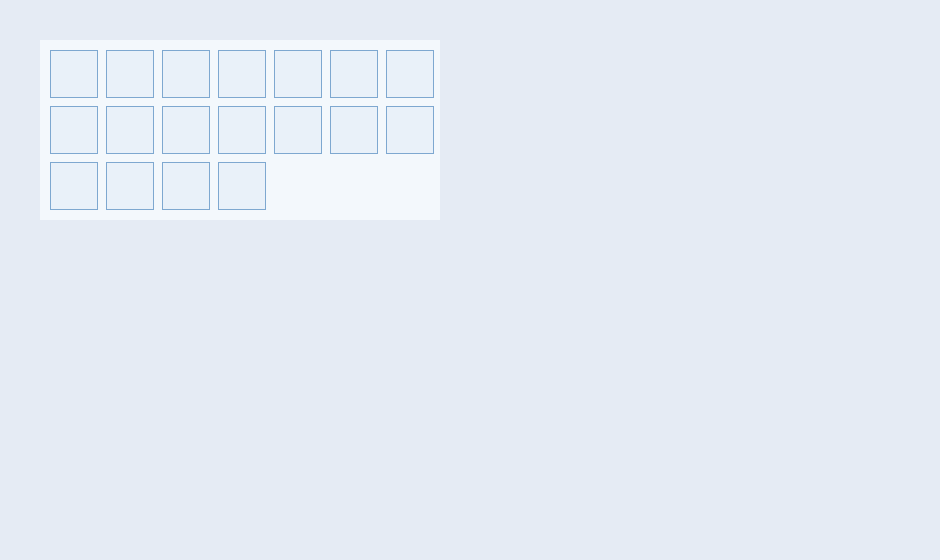
概念
InventoryGrid 是游戏背包/物品栏控件:
• Slot:槽位(图标/数量/品质/数据)
• 拖拽:DragCallback + DropCallback 实现物品移动/交换
• 堆叠:同物品叠加数量显示
• 分裂:SplitPopup 拆分堆叠物品
• 虚拟化:仅渲染可见槽位,支持大量物品
API 速查
| 函数 | 说明 |
|---|---|
int xuiInventoryGridCreate(pCtx, ppW, pDesc) | 创建物品栏 |
int xuiInventoryGridSetSlotCount(pW, iCount) | 槽位数量 |
int xuiInventoryGridSetSlot(pW, iSlot, pSlot) | 设置槽位 |
int xuiInventoryGridClearSlot(pW, iSlot) | 清空槽位 |
int xuiInventoryGridSetCurrent(pW, iSlot, bNotify) | 当前选中 |
int xuiInventoryGridSetLayout(pW, pLayout) | 布局配置 |
int xuiInventoryGridSetMetrics(pW, fSize, fGap, fPad, fIconPad, fBorder) | 尺寸 |
int xuiInventoryGridSetDragCallback(pW, onDrag, pUser) | 拖拽回调 |
int xuiInventoryGridSetDropCallback(pW, onDrop, pUser) | 放置回调 |
int xuiInventoryGridSetSplitCallback(pW, onSplit, pUser) | 分裂回调 |
编译本章示例
gcc -O2 -I. -o ch186.exe ch186_main.c src\xui_*.c build\xge.lib -lm -lws2_32 -liphlpapi -lgdi32 -luser32 -lshell32 -lopengl32 -lole32 -lwinmm -lavrt
.\ch186.exe
示例:RPG 背包
xui_inventory_grid_desc_t desc = { 0 };
desc.tLayout.iColumns = 8;
desc.tLayout.iRows = 6;

xui_widget pBag;
xuiInventoryGridCreate(pCtx, &pBag, &desc);
xuiInventoryGridSetSlotCount(pBag, 48);

// 放置物品
xui_inventory_slot_t slot = { 0 };
slot.iItemId = 1001;
slot.iCount = 5;
slot.iQuality = 2; // 稀有
xuiInventoryGridSetSlot(pBag, 0, &slot);

// 拖拽/放置回调
xuiInventoryGridSetDragCallback(pBag, OnDrag, NULL);
xuiInventoryGridSetDropCallback(pBag, OnDrop, NULL);

// 分裂回调
xuiInventoryGridSetSplitCallback(pBag, OnSplit, NULL);

// 自定义渲染(绘制图标)
xuiInventoryGridSetRenderCallback(pBag, OnRender, NULL);
完整代码
将以下代码保存为 ch186_main.c,编译后运行即可看到 RPG 背包物品栏:
#include "xge.h"
#include "xui.h"

static xui_context g_pCtx;

static int onFrame(void* pUser) {
    (void)pUser;
    xgeClear(0x1A1A2EFF);
    xui_vec2_t pos;
    xgeMouseGet(&pos.x, &pos.y);
    xuiInputPointerMove(g_pCtx, pos.x, pos.y);
    if (xgeMouseDown(XGE_MOUSE_LEFT))
        xuiInputPointerDown(g_pCtx, pos.x, pos.y, 0);
    else
        xuiInputPointerUp(g_pCtx, pos.x, pos.y, 0);
    xuiUpdate(g_pCtx, xgeGetDelta());
    xuiLayout(g_pCtx);
    xuiRender(g_pCtx, NULL, NULL, 0);
    return XGE_OK;
}

int main(void) {
    xge_desc_t d = { 0 };
    d.iWidth = 640; d.iHeight = 520;
    d.sTitle = "ch186 - InventoryGrid";
    d.iFlags = XGE_INIT_VSYNC;
    xgeInit(&d);

    xuiCreate(&g_pCtx);
    extern const xui_proxy_t tXgeProxy;
    xui_proxy_t tXgeProxy = xuiProxyXge();
xuiSetProxy(g_pCtx, &tXgeProxy);
    xuiSetViewportSize(g_pCtx, 640, 520);

    // 8×6 背包
    xui_inventory_grid_desc_t idesc = { 0 };
    idesc.tLayout.iColumns = 8;
    idesc.tLayout.iRows = 6;
    xui_widget pBag;
    xuiInventoryGridCreate(g_pCtx, &pBag, &idesc);
    xuiInventoryGridSetSlotCount(pBag, 48);

    // 放置物品
    xui_inventory_slot_t slot = { 0 };
    slot.iItemId = 1001; slot.iCount = 5; slot.iQuality = 2;
    xuiInventoryGridSetSlot(pBag, 0, &slot);

    slot.iItemId = 2003; slot.iCount = 1; slot.iQuality = 4;
    xuiInventoryGridSetSlot(pBag, 3, &slot);

    slot.iItemId = 3010; slot.iCount = 99; slot.iQuality = 0;
    xuiInventoryGridSetSlot(pBag, 9, &slot);

    xui_widget pRoot = xuiGetRootWidget(g_pCtx);
    xuiWidgetAddChild(pRoot, pBag);
    xuiWidgetSetRect(pBag, (xui_rect_t){0, 0, 640, 520});

    xgeRun(onFrame, NULL);
    xuiDestroy(g_pCtx);
    xgeUnit();
    return 0;
}
代码讲解
- InventoryGridCreate:创建物品栏,通过 desc.tLayout 配置行列数。
- SetSlotCount:设置总槽位数(8×6=48)。
- SetSlot:向指定槽位放置物品,iQuality 决定品质边框颜色。
- 回调:SetDragCallback/SetDropCallback 实现拖拽移动物品。
要点与陷阱
- 虚拟化:大背包(1000+ 槽)自动虚拟化,仅渲染可见区域。
- RenderCallback:自定义绘制槽位图标/品质边框/数量文字。
- SplitPopup:内置分裂弹窗,OpenSplitPopup/CommitSplitPopup。
- QuerySlots:按条件查询槽位(按物品ID/品质等)。
进阶练习
- 装备系统:拖拽物品到装备槽完成穿戴。
- 物品排序:SortSlots 按品质/类型自动整理背包。