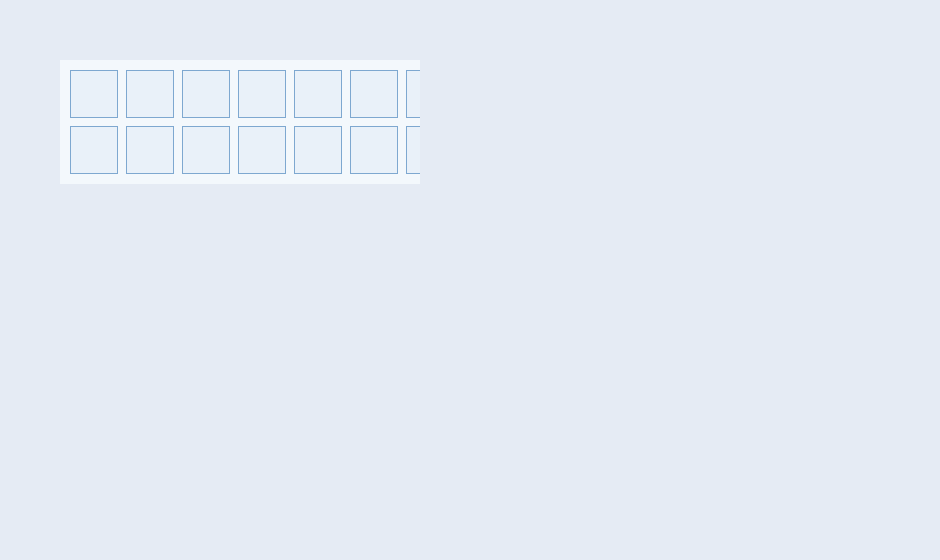
概念
InventoryGrid 内置完整手柄导航支持:
• GamepadProfile:定义方向键/确认/取消/分裂等按键映射
• 环绕:到达边界时可配置环绕到对侧
• GamepadButton:将手柄输入转发给控件
• Current:当前焦点槽位,高亮显示
• Select/Activate:选中与激活(使用/装备)分离
API 速查
| 函数 | 说明 |
|---|---|
int xuiInventoryGridSetGamepadProfile(pW, pProfile) | 按键映射 |
int xuiInventoryGridGetGamepadProfile(pW, pProfile) | 获取映射 |
int xuiInventoryGridGamepadButton(pW, iBtn, bPressed, iMods) | 手柄输入 |
int xuiInventoryGridSetCurrent(pW, iSlot, bNotify) | 设置焦点 |
int xuiInventoryGridGetCurrent(pW) | 获取焦点 |
int xuiInventoryGridSetSelectCallback(pW, onSelect, pUser) | 选中回调 |
int xuiInventoryGridSetActivateCallback(pW, onActivate, pUser) | 激活回调 |
int xuiInventoryGridEnsureSlotVisible(pW, iSlot) | 滚动到可见 |
编译本章示例
gcc -O2 -I. -o ch187.exe ch187_main.c src\xui_*.c build\xge.lib -lm -lws2_32 -liphlpapi -lgdi32 -luser32 -lshell32 -lopengl32 -lole32 -lwinmm -lavrt
.\ch187.exe
示例:手柄操作背包
// 配置手柄映射
xui_inventory_gamepad_profile_t profile = { 0 };
profile.iButtonConfirm = 0;  // A 键确认
profile.iButtonCancel = 1;   // B 键取消
profile.iButtonSplit = 3;    // Y 键分裂
profile.bWrapHorizontal = 1; // 水平环绕
profile.bWrapVertical = 0;   // 垂直不环绕
xuiInventoryGridSetGamepadProfile(pBag, &profile);

// 手柄事件循环中转发按键
if (xgeGamepadButtonDown(0, XGE_GAMEPAD_DPAD_RIGHT))
    xuiInventoryGridGamepadButton(pBag, XGE_GAMEPAD_DPAD_RIGHT, 1, 0);

// 选中/激活回调
xuiInventoryGridSetSelectCallback(pBag, OnSelect, NULL);
xuiInventoryGridSetActivateCallback(pBag, OnActivate, NULL);

// 确保焦点槽位可见
int iCur = xuiInventoryGridGetCurrent(pBag);
xuiInventoryGridEnsureSlotVisible(pBag, iCur);
完整代码
将以下代码保存为 ch187_main.c,编译后运行即可看到手柄导航背包效果:
#include "xge.h"
#include "xui.h"

static xui_context g_pCtx;

static int onFrame(void* pUser) {
    (void)pUser;
    xgeClear(0x1A1A2EFF);
    xui_vec2_t pos;
    xgeMouseGet(&pos.x, &pos.y);
    xuiInputPointerMove(g_pCtx, pos.x, pos.y);
    if (xgeMouseDown(XGE_MOUSE_LEFT))
        xuiInputPointerDown(g_pCtx, pos.x, pos.y, 0);
    else
        xuiInputPointerUp(g_pCtx, pos.x, pos.y, 0);
    xuiUpdate(g_pCtx, xgeGetDelta());
    xuiLayout(g_pCtx);
    xuiRender(g_pCtx, NULL, NULL, 0);
    return XGE_OK;
}

int main(void) {
    xge_desc_t d = { 0 };
    d.iWidth = 640; d.iHeight = 520;
    d.sTitle = "ch187 - Gamepad Nav";
    d.iFlags = XGE_INIT_VSYNC;
    xgeInit(&d);

    xuiCreate(&g_pCtx);
    extern const xui_proxy_t tXgeProxy;
    xui_proxy_t tXgeProxy = xuiProxyXge();
xuiSetProxy(g_pCtx, &tXgeProxy);
    xuiSetViewportSize(g_pCtx, 640, 520);

    xui_inventory_grid_desc_t idesc = { 0 };
    idesc.tLayout.iColumns = 8;
    idesc.tLayout.iRows = 6;
    xui_widget pBag;
    xuiInventoryGridCreate(g_pCtx, &pBag, &idesc);
    xuiInventoryGridSetSlotCount(pBag, 48);

    // 配置手柄映射
    xui_inventory_gamepad_profile_t profile = { 0 };
    profile.iButtonConfirm = 0;
    profile.iButtonCancel = 1;
    profile.iButtonSplit = 3;
    profile.bWrapHorizontal = 1;
    profile.bWrapVertical = 0;
    xuiInventoryGridSetGamepadProfile(pBag, &profile);

    // 初始焦点
    xuiInventoryGridSetCurrent(pBag, 0, 1);

    xui_widget pRoot = xuiGetRootWidget(g_pCtx);
    xuiWidgetAddChild(pRoot, pBag);
    xuiWidgetSetRect(pBag, (xui_rect_t){0, 0, 640, 520});

    xgeRun(onFrame, NULL);
    xuiDestroy(g_pCtx);
    xgeUnit();
    return 0;
}
代码讲解
- SetGamepadProfile:配置手柄按键映射,支持 Xbox/PS/Switch 布局。
- WrapHorizontal:水平方向环绕,到行末自动跳下一行。
- SetCurrent:设置焦点槽位,bNotify=1 触发 SelectCallback。
- EnsureSlotVisible:大背包导航时自动滚动到焦点位置。
要点与陷阱
- Profile:不同游戏可自定义按键映射(Xbox/PS/Switch)。
- 环绕:WrapHorizontal 适合快捷栏(单行),WrapVertical 适合背包。
- bNotify:SetCurrent 的 bNotify=1 触发 SelectCallback。
- EnsureVisible:大背包导航时自动滚动到焦点槽位。
进阶练习
- 快捷栏:单行 10 槽,LB/RB 切换页面。
- 长按预览:按住确认键显示物品详情 Tooltip。