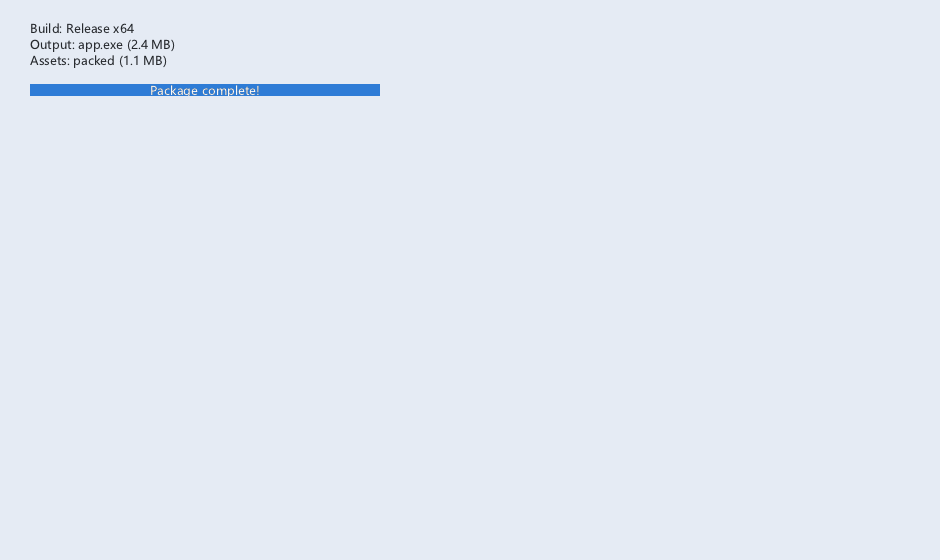
概念
XGE 应用发布方式:
• DLL 动态链接:xge.dll 随应用分发,体积小、易更新
• 静态链接:libxge.a 编入可执行文件,无需额外 DLL
• 资源打包:纹理/字体/音频打包为单一资源文件
• 构建脚本:build_dll.bat / Makefile / CMake 多平台
• 目录结构:exe + dll + assets/ 标准发布布局
发布方式对比
| 方式 | 优点 | 缺点 |
|---|---|---|
DLL | 体积小、热更新 | 需随附 DLL 文件 |
静态 | 单文件、无依赖 | 体积大、更新需重编 |
资源包 | 加载快、防篡改 | 需打包工具 |
编译本章示例
gcc -O2 -I. -o ch210.exe ch210_main.c src\xui_*.c build\xge.lib -lm -lws2_32 -liphlpapi -lgdi32 -luser32 -lshell32 -lopengl32 -lole32 -lwinmm -lavrt
.\ch210.exe
示例:构建与发布
# 1. 构建 XGE DLL(MinGW-w64)
# build_dll.bat
gcc -shared -o xge.dll src/*.c \
    -Iinclude -O2 -DXGE_BUILD_DLL \
    -lopengl32 -lgdi32 -lwinmm -ldsound

# 2. 编译应用(动态链接)
gcc -o myapp.exe main.c game.c ui.c \
    -Iinclude -Llib -lxge -O2

# 3. 静态链接(无 DLL 依赖)
gcc -o myapp.exe main.c game.c ui.c \
    -Iinclude lib/libxge.a \
    -lopengl32 -lgdi32 -lwinmm -ldsound -O2

# 4. 发布目录结构
# release/
# ├── myapp.exe
# ├── xge.dll        (动态链接时)
# ├── assets/
# │   ├── fonts/
# │   ├── textures/
# │   └── audio/
# └── config.ini
完整代码
将以下代码保存为 ch210_main.c,编译后运行即可看到发布构建信息面板效果:
#include "xge.h"
#include "xui.h"
#include <stdio.h>

static xui_context g_pCtx;

static int onFrame(void* pUser) {
    (void)pUser;
    xgeClear(0x1a1a2e);
    xui_vec2_t pos;
    xgeMouseGet(&pos.x, &pos.y);
    xuiInputPointerMove(g_pCtx, pos.x, pos.y);
    if (xgeMouseDown(XGE_MOUSE_LEFT))
        xuiInputPointerDown(g_pCtx, pos.x, pos.y, 0);
    else
        xuiInputPointerUp(g_pCtx, pos.x, pos.y, 0);
    xuiUpdate(g_pCtx, xgeGetDelta());
    xuiLayout(g_pCtx);
    xuiRender(g_pCtx, NULL, NULL, 0);
    return XGE_OK;
}

int main(void) {
    xge_desc_t d = {0};
    d.iWidth = 640; d.iHeight = 480;
    d.sTitle = "ch210 - Release Build";
    d.iFlags = XGE_INIT_VSYNC;
    xgeInit(&d);
    xuiCreate(&g_pCtx);
    extern const xui_proxy_t tXgeProxy;
    xui_proxy_t tXgeProxy = xuiProxyXge();
xuiSetProxy(g_pCtx, &tXgeProxy);
    xuiSetViewportSize(g_pCtx, 640, 480);

    xui_widget pRoot;
xuiPanelCreate(g_pCtx, &pRoot, NULL);
    xuiWidgetSetRect(pRoot, (xui_rect_t){0, 0, 640, 480});

    xui_widget pTitle;
xuiLabelCreate(g_pCtx, &pTitle, NULL);
xuiWidgetAddChild(pRoot, pTitle);
    xuiLabelSetText(pTitle, "XGE v2.0 - Release Ready");
    xuiWidgetSetRect(pTitle, (xui_rect_t){200, 160, 240, 32});
    xuiWidgetSetRect(pTitle, (xui_rect_t){0, 0, 240, 32});

    xui_widget pInfo;
xuiLabelCreate(g_pCtx, &pInfo, NULL);
xuiWidgetAddChild(pRoot, pInfo);
    xuiLabelSetText(pInfo, "Build: gcc -O2 | Link: static");
    xuiWidgetSetRect(pInfo, (xui_rect_t){180, 220, 280, 32});
    xuiWidgetSetRect(pInfo, (xui_rect_t){0, 0, 280, 32});

    xgeRun(onFrame, NULL);
    xuiDestroy(g_pCtx);
    xgeUnit();
    return 0;
}
代码讲解
- 发布方式:DLL(体积小、热更新)或静态链接(单文件、无依赖)。
- 目录结构:exe + dll + assets/ 标准发布布局,资源用相对路径。
- 依赖:Windows 需随附 MinGW 运行时(libgcc/libwinpthread)。
- 压缩:发布包使用 7z/zip 压缩,减小下载体积。
要点与陷阱
- DLL 版本:确保 xge.dll 与头文件版本一致(v2.0.0)。
- 路径:资源路径使用相对路径,避免硬编码绝对路径。
- 32/64 位:DLL 与 EXE 位数必须匹配。
- 依赖:Windows 需随附 MinGW 运行时(libgcc/libwinpthread)。
- 压缩:发布包使用 7z/zip 压缩,减小下载体积。
进阶练习
- 自动构建:CMake 配置跨平台构建(Win/Linux/macOS)。
- 资源打包:编写工具将 assets/ 打包为单一 .pak 文件。