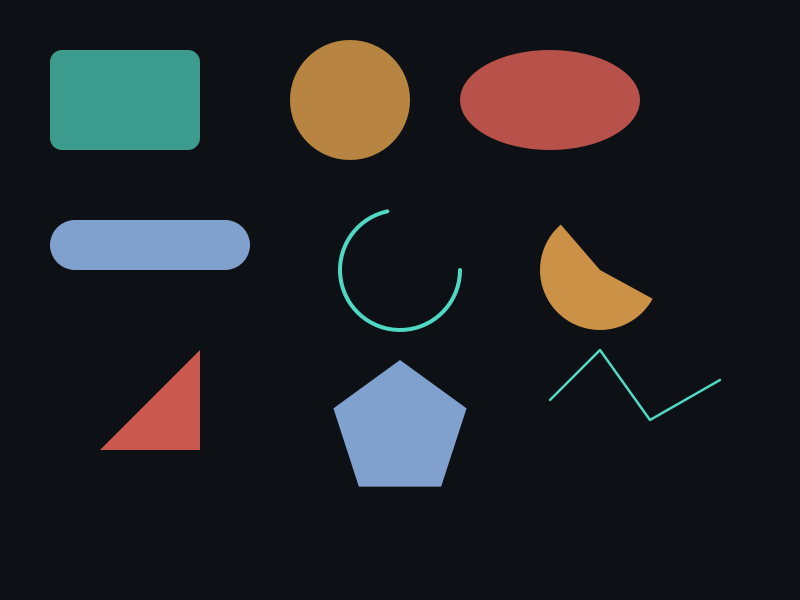
概念
- Append 系列:向现有路径追加一个完整的闭合子路径,无需手动 MoveTo/LineTo/Close。
- bClockwise:控制子路径方向(影响填充规则下的镂空效果)。
- 可组合:一个 ShapeEx 可包含多个 Append 子路径,实现复合图形。
API 速查
| 函数 | 说明 |
|---|---|
int xgeShapeExAppendRect(xge_shape_ex pShape, float fX, float fY, float fW, float fH, float fRX, float fRY, int bClockwise) | 追加圆角矩形 |
int xgeShapeExAppendCircle(xge_shape_ex pShape, float fCX, float fCY, float fRX, float fRY, int bClockwise) | 追加圆/椭圆 |
int xgeShapeExAppendEllipse(xge_shape_ex pShape, float fCX, float fCY, float fRX, float fRY, int bClockwise) | 追加椭圆 |
int xgeShapeExAppendCapsule(xge_shape_ex pShape, float fX, float fY, float fW, float fH, int bClockwise) | 追加胶囊形 |
int xgeShapeExAppendPolygon(xge_shape_ex pShape, const xge_vec2_t* pPoints, int iPointCount) | 追加闭合多边形 |
int xgeShapeExAppendTriangle(xge_shape_ex pShape, float fX1, float fY1, float fX2, float fY2, float fX3, float fY3, int bClockwise) | 追加三角形 |
编译本章示例
gcc -O2 -I. -o ch39.exe ch39_main.c build\xge.lib -lm -lws2_32 -liphlpapi -lgdi32 -luser32 -lshell32 -lopengl32 -lole32 -lwinmm -lavrt
.\ch39.exe
示例 1:复合图形(矩形镂空圆)
xge_shape_ex shape = NULL;
xgeShapeExCreate(&shape);

// 外框矩形(顺时针)
xgeShapeExAppendRect(shape, 100,100, 400,300, 0,0, 1);
// 内部圆形(逆时针 → 镂空)
xgeShapeExAppendCircle(shape, 300, 250, 80, 80, 0);

xgeShapeExFillRule(shape, XGE_SHAPE_EX_FILL_NON_ZERO);
xgeShapeExFillColor(shape, 0x4FD8C2FF);
xgeShapeExDraw(shape, 0.25f);
示例 2:胶囊 + 三角形组合
xge_shape_ex combo = NULL;
xgeShapeExCreate(&combo);

// 胶囊主体
xgeShapeExAppendCapsule(combo, 200, 400, 300, 60, 1);
// 三角形箭头
xgeShapeExAppendTriangle(combo, 520,400, 520,460, 580,430, 1);

xgeShapeExFillColor(combo, 0xFFB454FF);
xgeShapeExDraw(combo, 0.25f);
示例 3:AppendPolygon 闭合多边形
// 正六边形
xge_vec2_t hex[6];
for (int i = 0; i < 6; i++) {
    float a = i * 3.14159265f / 3.0f;
    hex[i].fX = 400 + 100 * cosf(a);
    hex[i].fY = 300 + 100 * sinf(a);
}

xge_shape_ex shape = NULL;
xgeShapeExCreate(&shape);
xgeShapeExAppendPolygon(shape, hex, 6);
xgeShapeExFillColor(shape, 0x6DB3F2FF);
xgeShapeExDraw(shape, 0.25f);
完整代码
将以下代码保存为 ch39_main.c,编译后运行即可看到几何快捷方式的复合图形与镂空效果:
#include "xge.h"
#include <math.h>

static int onFrame(void* pUser) {
    (void)pUser;
    xgeClear(0x081114FF);

    // 矩形镂空圆(外顺内逆)
    xge_shape_ex hollow = NULL;
    xgeShapeExCreate(&hollow);
    xgeShapeExAppendRect(hollow, 80,60, 300,220, 12,12, 1);
    xgeShapeExAppendCircle(hollow, 230, 170, 70, 70, 0);
    xgeShapeExFillRule(hollow, XGE_SHAPE_EX_FILL_NON_ZERO);
    xgeShapeExFillColor(hollow, 0x4FD8C2FF);
    xgeShapeExDraw(hollow, 0.25f);
    xgeShapeExDestroy(hollow);

    // 胶囊 + 三角形箭头
    xge_shape_ex arrow = NULL;
    xgeShapeExCreate(&arrow);
    xgeShapeExAppendCapsule(arrow, 450, 100, 200, 50, 1);
    xgeShapeExAppendTriangle(arrow, 660,95, 660,155, 720,125, 1);
    xgeShapeExFillColor(arrow, 0xFFB454FF);
    xgeShapeExDraw(arrow, 0.25f);
    xgeShapeExDestroy(arrow);

    // 正六边形
    xge_vec2_t hex[6];
    for (int i = 0; i < 6; i++) {
        float a = i * 3.14159265f / 3.0f;
        hex[i].fX = 300 + 100 * cosf(a);
        hex[i].fY = 430 + 100 * sinf(a);
    }
    xge_shape_ex poly = NULL;
    xgeShapeExCreate(&poly);
    xgeShapeExAppendPolygon(poly, hex, 6);
    xgeShapeExFillColor(poly, 0x6DB3F2FF);
    xgeShapeExDraw(poly, 0.25f);
    xgeShapeExDestroy(poly);

    return XGE_OK;
}

int main(void) {
    xge_desc_t d = {0};
    d.iWidth  = 800;
    d.iHeight = 600;
    d.sTitle  = "ch39 - Geometry Shortcuts";
    d.iFlags  = XGE_INIT_VSYNC;
    xgeInit(&d);
    xgeRun(onFrame, NULL);
    xgeUnit();
    return 0;
}
代码讲解
- 镂空效果:NonZero 填充规则下,外框顺时针 + 内圆逆时针 = 镂空。
- AppendCapsule/Triangle:快捷方式无需手动 MoveTo/LineTo,一次调用即可添加图形。
- AppendPolygon:自动闭合,无需手动 Close。
- 多子路径:同一 ShapeEx 可包含多个子路径,组合成复杂图形。
要点与陷阱
- 方向决定镂空:NonZero 填充规则下,外顺内逆 = 镂空;同向 = 合并。
- AppendRect 的 fRX/fRY:圆角半径,0 为直角矩形。
- AppendCircle vs AppendEllipse:功能相同(都支持 RX≠RY),语义不同。
- Polygon 自动闭合:AppendPolygon 自动 Close,无需手动。
- AppendPath:更底层的接口,直接传入命令+点数组(用于序列化/反序列化)。
进阶练习
- 实现"回"字形:外矩形顺时针 + 内矩形逆时针,观察 NonZero 镂空效果。
- 用多个 AppendCircle 绘制奥运五环(注意交叉处的遮挡关系)。
- 组合 AppendCapsule + AppendTriangle 制作一个箭头按钮形状。