API 速查
| 函数 | 说明 |
|---|---|
int xgeFontFamilyCreate(xge_font_family* ppFamily) | 创建字体族 |
void xgeFontFamilyFree(xge_font_family pFamily) | 释放 |
int xgeFontFamilyAddFace(xge_font_family pFamily, xge_font_face pFace) | 添加字体面 |
int xgeFontFamilyResolve(xge_font_family pFamily, int iWeight, int iSlant, xge_font_face* ppFace) | 按字重/倾斜解析 |
int xgeFontFamilyResolveEx(xge_font_family pFamily, int iWeight, int iStretch, int iSlant, xge_font_face* ppFace) | 扩展解析(含宽度) |
int xgeFontFaceGetInfo(xge_font_face pFace, xge_font_face_info_t* pInfo) | 获取字体信息 |
编译本章示例
gcc -O2 -I. -o ch84.exe ch84_main.c build\xge.lib -lm -lws2_32 -liphlpapi -lgdi32 -luser32 -lshell32 -lopengl32 -lole32 -lwinmm -lavrt
.\ch84.exe
示例:构建字体族
// 创建字体族
xge_font_family family = NULL;
xgeFontFamilyCreate(&family);
// 加载各变体
xge_font_face regular, bold, italic;
xgeFontFaceLoad(®ular, "Roboto-Regular.ttf", NULL);
xgeFontFaceLoad(&bold, "Roboto-Bold.ttf", NULL);
xgeFontFaceLoad(&italic, "Roboto-Italic.ttf", NULL);
xgeFontFamilyAddFace(family, regular);
xgeFontFamilyAddFace(family, bold);
xgeFontFamilyAddFace(family, italic);
// 按字重解析(400=Regular, 700=Bold)
xge_font_face resolved;
xgeFontFamilyResolve(family, 700, 0, &resolved);
// resolved = bold
// 斜体 + 粗体
xgeFontFamilyResolve(family, 700, 1, &resolved);
// 返回最接近的匹配完整代码
将以下代码保存为 ch84_main.c,编译后运行即可看到字体族解析与不同字重绘制效果:
#include "xge.h"

static xge_font g_regular = NULL;
static xge_font g_bold = NULL;

static int onFrame(void* pUser) {
    (void)pUser;
    xgeClear(0x081114FF);

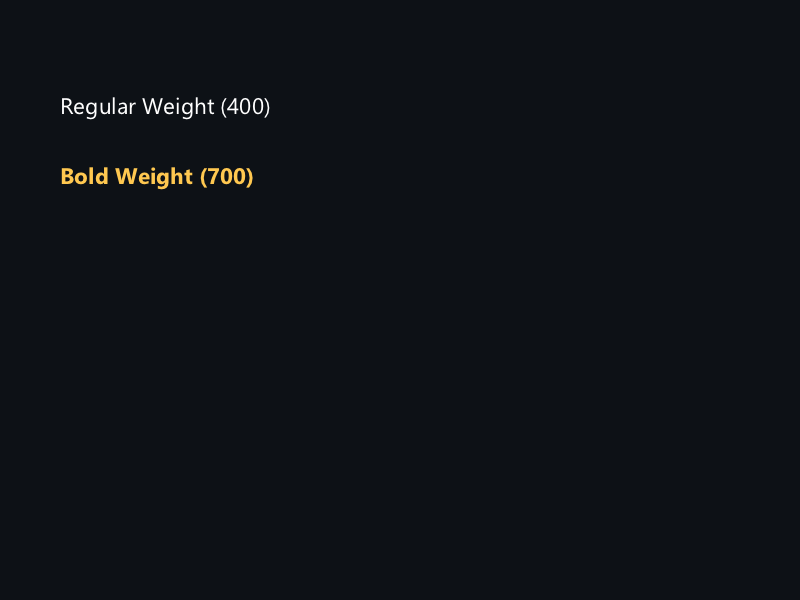
    xgeTextDraw(g_regular, "Regular (400)", 100, 200, 0xFFFFFFFF)
    xgeTextDraw(g_bold, "Bold (700)", 100, 280, 0xFFB454FF)
    return XGE_OK;
}

int main(void) {
    xge_desc_t d = {0};
    d.iWidth  = 800;
    d.iHeight = 600;
    d.sTitle  = "ch84 - Font Family";
    d.iFlags  = XGE_INIT_VSYNC;
    xgeInit(&d);

    // 构建字体族
    xge_font_family family = NULL;
    xgeFontFamilyCreate(&family);

    xge_font_face fReg = NULL, fBold = NULL;
    xgeFontFaceLoad(&fReg, "fonts/Roboto-Regular.ttf", NULL);
    xgeFontFaceLoad(&fBold, "fonts/Roboto-Bold.ttf", NULL);
    xgeFontFamilyAddFace(family, fReg);
    xgeFontFamilyAddFace(family, fBold);

    // 解析字重并创建实例
    xge_font_face resolved = NULL;
    xge_font_instance_desc_t desc = {0};
    desc.fSize = 32.0f;

    xgeFontFamilyResolve(family, 400, 0, &resolved);
    xgeFontCreate(&g_regular, resolved, &desc);

    xgeFontFamilyResolve(family, 700, 0, &resolved);
    xgeFontCreate(&g_bold, resolved, &desc);

    xgeFontFaceFree(fReg);
    xgeFontFaceFree(fBold);
    xgeFontFamilyFree(family);

    xgeRun(onFrame, NULL);
    xgeFontFree(g_regular);
    xgeFontFree(g_bold);
    xgeUnit();
    return 0;
}
代码讲解
- FontFamilyCreate:创建字体族容器,用于管理同一字体的多个变体。
- AddFace:添加 Regular/Bold 等变体到字体族。
- Resolve:按字重(400/700)和倾斜(0/1)解析最匹配的 Face。
- FontCreate:用解析出的 Face 创建特定字号的 Font 实例。
要点与陷阱
- 字重值:100-900,400=Regular,700=Bold。
- Slant:0=正体,1=斜体。
- 自动匹配:无精确匹配时选择最接近的变体。
- Face 信息:GetInfo 返回字体的 family name、style 等元数据。
进阶练习
- 实现 CSS font-weight 映射:normal→400, bold→700。
- 字体选择器 UI:列出所有可用字重和样式。