API 速查
| 函数 | 说明 |
|---|---|
void xgeGlyphRunDraw(const xge_glyph_run_t* pRun, float fX, float fY, uint32_t iColor, uint32_t iFlags) | 绘制字形序列 |
void xgeGlyphRunDrawDecorated(const xge_glyph_run_t* pRun, float fX, float fY, uint32_t iColor, uint32_t iFlags, const xge_text_decoration_t* pDecorations, int iDecorationCount) | 带装饰线绘制 |
int xgeGlyphRunAppendShapeEx(const xge_glyph_run_t* pRun, xge_shape_ex pShape, float fX, float fY) | 转换为 ShapeEx |
编译本章示例
gcc -O2 -I. -o ch89.exe ch89_main.c build\xge.lib -lm -lws2_32 -liphlpapi -lgdi32 -luser32 -lshell32 -lopengl32 -lole32 -lwinmm -lavrt
.\ch89.exe
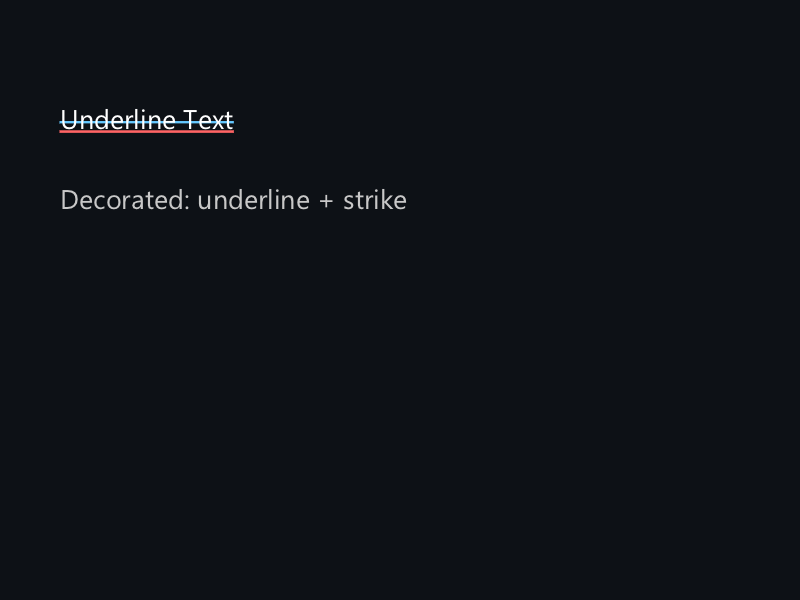
示例:绘制带下划线的链接
// 整形文本
xge_text_shape_desc_t desc = { 0 };
desc.pFont = font;
desc.sText = "点击这里";
xge_glyph_run_t run;
xgeTextShape(&desc, &run);

// 普通绘制
xgeGlyphRunDraw(&run, 100, 100,
    0x4FC3F7FF, 0);

// 带下划线绘制
xge_text_decoration_t deco;
deco.iType = XGE_TEXT_DECORATION_UNDERLINE;
deco.iColor = 0x4FC3F7FF;
deco.fThickness = 1.5f;

xgeGlyphRunDrawDecorated(&run, 100, 100,
    0x4FC3F7FF, 0, &deco, 1);

// 转换为 ShapeEx(用于动画/特效)
xge_shape_ex textShape = NULL;
xgeShapeExCreate(&textShape);
xgeGlyphRunAppendShapeEx(&run, textShape, 100, 100);
xgeShapeExFillColor(textShape, 0xFFFFFFFF);

xgeGlyphRunFree(&run);
完整代码
将以下代码保存为 ch89_main.c,编译后运行即可看到字形序列绘制与装饰线效果:
#include "xge.h"

static xge_font g_font = NULL;
static xge_glyph_run_t g_run;
static int g_hasRun = 0;
static float g_time = 0.0f;

static int onFrame(void* pUser) {
    (void)pUser;
    xgeClear(0x081114FF);
    g_time += 0.016f;

    if (!g_hasRun) return XGE_OK;

    // 普通绘制
    xgeGlyphRunDraw(&g_run, 100.0f, 80.0f,
        0xFFFFFFFF, 0);

    // 带下划线绘制(模拟超链接)
    xge_text_decoration_t deco;
    deco.iType = XGE_TEXT_DECORATION_UNDERLINE;
    deco.iColor = 0x4FC3F7FF;
    deco.fThickness = 1.5f;
    xgeGlyphRunDrawDecorated(&g_run, 100.0f, 150.0f,
        0x4FC3F7FF, 0, &deco, 1);

    // 带删除线绘制
    xge_text_decoration_t strike;
    strike.iType = XGE_TEXT_DECORATION_STRIKE;
    strike.iColor = 0xFF6666FF;
    strike.fThickness = 1.0f;
    xgeGlyphRunDrawDecorated(&g_run, 100.0f, 220.0f,
        0xAAAAAAFF, 0, &strike, 1);

    // 转换为 ShapeEx(可应用渐变/动画)
    xge_shape_ex shp = NULL;
    xgeShapeExCreate(&shp);
    xgeGlyphRunAppendShapeEx(&g_run, shp,
        100.0f, 300.0f);
    uint32_t c = (uint32_t)(128 + 127 * sinf(g_time * 2.0f));
    xgeShapeExFillColor(shp, (c << 24) | 0x00FF88FF);
    xgeShapeExDraw(shp);
    xgeShapeExDestroy(shp);

    return XGE_OK;
}

int main(void) {
    xge_desc_t d = {0};
    d.iWidth  = 800;
    d.iHeight = 600;
    d.sTitle  = "ch89 - GlyphRun Draw & Decorations";
    d.iFlags  = XGE_INIT_VSYNC;
    xgeInit(&d);

    xgeFontLoad(&g_font, "Roboto.ttf", 28.0f);

    xge_text_shape_desc_t desc = { 0 };
    desc.pFont = g_font;
    desc.sText = "点击这里";
    desc.fFontSize = 28.0f;
    if (xgeTextShape(&desc, &g_run) == XGE_OK)
        g_hasRun = 1;

    xgeRun(onFrame, NULL);

    xgeGlyphRunFree(&g_run);
    xgeFontFree(g_font);
    xgeUnit();
    return 0;
}
代码讲解
- GlyphRunDraw:将整形后的字形序列绘制到指定位置,(fX,fY) 为基线起点。
- DrawDecorated:支持 UNDERLINE/STRIKETHROUGH/OVERLINE 装饰线,可自定义颜色和粗细。
- AppendShapeEx:将文字转为矢量路径,可应用渐变填充、描边、动画等 ShapeEx 效果。
- 颜色动画:通过 sinf 动态改变 ShapeEx 填充色,实现文字呼吸效果。
要点与陷阱
- 装饰类型:UNDERLINE(下划线)、STRIKETHROUGH(删除线)、OVERLINE(上划线)。
- fX/fY:绘制位置是基线起点。
- AppendShapeEx:将文字转为矢量路径,可应用渐变、描边等效果。
- Flags:控制渲染选项(如亚像素定位)。
进阶练习
- 实现超链接组件:悬停显示下划线。
- 文字描边效果:AppendShapeEx + StrokeWidth。