API 速查
| 函数 | 说明 |
|---|---|
int xgeFontGetMetrics(xge_font pFont, xge_font_metrics_t* pMetrics) | 获取字体度量 |
int xgeFontCacheGetStats(xge_font pFont, xge_font_cache_stats_t* pStats) | 缓存统计 |
void xgeFontCacheClear(xge_font pFont) | 清空字形缓存 |
编译本章示例
gcc -O2 -I. -o ch86.exe ch86_main.c build\xge.lib -lm -lws2_32 -liphlpapi -lgdi32 -luser32 -lshell32 -lopengl32 -lole32 -lwinmm -lavrt
.\ch86.exe
示例:计算行高
xge_font font = NULL;
xgeFontLoad(&font, "Roboto.ttf", 24.0f);

// 获取字体度量
xge_font_metrics_t metrics;
xgeFontGetMetrics(font, &metrics);

// 常用字段:
// metrics.fAscent  — 基线到顶部
// metrics.fDescent — 基线到底部(负值)
// metrics.fLineGap — 行间额外间距
float lineHeight = metrics.fAscent - metrics.fDescent
                   + metrics.fLineGap;

// 缓存统计
xge_font_cache_stats_t stats;
xgeFontCacheGetStats(font, &stats);
// stats.iGlyphCount — 已缓存字形数
// stats.iTextureCount — 纹理图集数量
// stats.iHitCount / iMissCount — 命中/未命中

// 清空缓存(释放内存)
xgeFontCacheClear(font);
完整代码
将以下代码保存为 ch86_main.c,编译后运行即可看到字体度量与多行文本排版效果:
#include "xge.h"

static xge_font g_font = NULL;
static float g_fLineH = 0.0f;

static int onFrame(void* pUser) {
    (void)pUser;
    xgeClear(0x081114FF);

    // 多行文本排版
    const char* lines[] = {
        "Line 1: Font Metrics",
        "Line 2: Ascent + Descent",
        "Line 3: + LineGap = Height"
    };
    float y = 150.0f;
    for (int i = 0; i < 3; i++) {
        xgeTextDraw(g_font, 100, (int)y, lines[i], 0xFFFFFFFF)
        y += g_fLineH;
    }
    return XGE_OK;
}

int main(void) {
    xge_desc_t d = {0};
    d.iWidth  = 800;
    d.iHeight = 600;
    d.sTitle  = "ch86 - Font Metrics";
    d.iFlags  = XGE_INIT_VSYNC;
    xgeInit(&d);

    xgeFontLoad(&g_font, "fonts/Roboto.ttf", 28.0f);

    // 获取字体度量计算行高
    xge_font_metrics_t m;
    xgeFontGetMetrics(g_font, &m);
    g_fLineH = m.fAscent - m.fDescent + m.fLineGap;

    xgeRun(onFrame, NULL);
    xgeFontFree(g_font);
    xgeUnit();
    return 0;
}
代码讲解
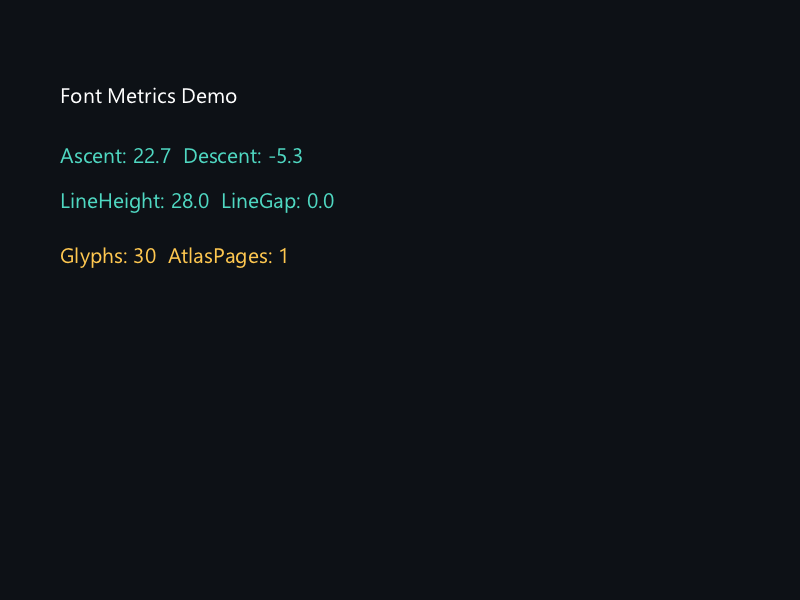
- GetMetrics:获取字体度量(Ascent/Descent/LineGap),用于精确排版。
- 行高计算:Ascent - Descent + LineGap,Descent 为负值。
- 多行排版:每行 y 坐标递增 lineHeight,实现均匀行距。
- 缓存统计:CacheGetStats 可查看字形缓存命中率,优化加载策略。
要点与陷阱
- 行高计算:Ascent - Descent + LineGap,Descent 为负值。
- 缓存命中:MissCount 高说明频繁光栅化新字符,考虑预加载。
- CacheClear:清空后下次绘制重新光栅化,适合内存紧张时。
- 多字号:每个字号独立缓存,切换字号不会命中。
进阶练习
- 实现文本垂直居中:用 Ascent/Descent 计算基线位置。
- 监控缓存命中率,优化字体预加载策略。