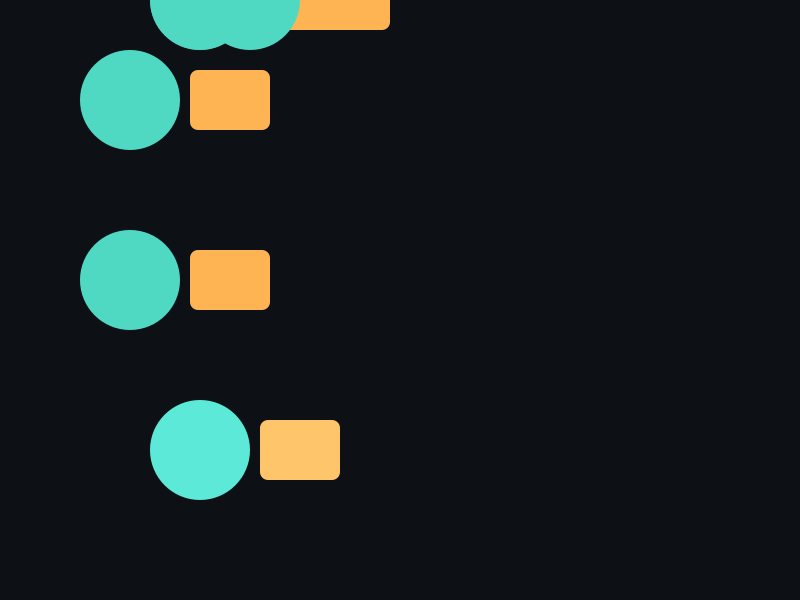
API 速查
| 函数 | 说明 |
|---|---|
int xgeShapeExSceneOpacity(xge_shape_ex_scene pScene, float fOpacity) | 设置组透明度 [0,1] |
int xgeShapeExSceneOpacityGet(xge_shape_ex_scene pScene, float* pOpacity) | 获取透明度 |
int xgeShapeExSceneVisible(xge_shape_ex_scene pScene, int bVisible) | 设置可见性 |
int xgeShapeExSceneVisibleGet(xge_shape_ex_scene pScene, int* pVisible) | 获取可见性 |
int xgeShapeExSceneBlend(xge_shape_ex_scene pScene, int iBlend) | 设置组混合模式 |
int xgeShapeExSceneBlendClear(xge_shape_ex_scene pScene) | 清除混合模式 |
int xgeShapeExSceneBlendGet(xge_shape_ex_scene pScene, int* pBlend, int* pBlendSet) | 查询混合模式 |
编译本章示例
gcc -O2 -I. -o ch67.exe ch67_main.c build\xge.lib -lm -lws2_32 -liphlpapi -lgdi32 -luser32 -lshell32 -lopengl32 -lole32 -lwinmm -lavrt
.\ch67.exe
示例:淡入淡出整组 UI
xge_shape_ex_scene uiGroup = NULL;
xgeShapeExSceneCreate(&uiGroup);
// ... 添加按钮、图标等 Shape ...

// 淡入动画:每帧递增透明度
float fAlpha = 0.0f;
void OnFrame(void) {
    fAlpha += 0.02f;
    if (fAlpha > 1.0f) fAlpha = 1.0f;
    xgeShapeExSceneOpacity(uiGroup, fAlpha);
    xgeShapeExSceneDraw(uiGroup, 0.25f);
}

// 隐藏整组(不销毁)
xgeShapeExSceneVisible(uiGroup, 0);

// 组级叠加混合
xgeShapeExSceneBlend(uiGroup, XGE_BLEND_ADD);
完整代码
将以下代码保存为 ch67_main.c,编译后运行即可看到整组 UI 淡入 + 隐藏 + 叠加混合效果:
#include "xge.h"

static xge_shape_ex_scene g_uiGroup = NULL;
static float g_fAlpha = 0.0f;
static int   g_iPhase = 0; // 0=淡入 1=显示 2=淡出
static int   g_iFrame = 0;

static int onFrame(void* pUser) {
    (void)pUser;
    xgeClear(0x081114FF);
    g_iFrame++;

    // 相位状态机
    if (g_iPhase == 0) {
        g_fAlpha += 0.02f;
        if (g_fAlpha >= 1.0f) { g_fAlpha = 1.0f; g_iPhase = 1; }
    } else if (g_iPhase == 1) {
        if (g_iFrame > 120) g_iPhase = 2;
    } else {
        g_fAlpha -= 0.02f;
        if (g_fAlpha <= 0.0f) { g_fAlpha = 0.0f; g_iPhase = 0; g_iFrame = 0; }
    }

    xgeShapeExSceneOpacity(g_uiGroup, g_fAlpha);
    xgeShapeExSceneVisible(g_uiGroup, g_fAlpha > 0.0f ? 1 : 0);
    xgeShapeExSceneDraw(g_uiGroup, 0.25f);
    return XGE_OK;
}

int main(void) {
    xge_desc_t d = {0};
    d.iWidth  = 800;
    d.iHeight = 600;
    d.sTitle  = "ch67 - Scene Opacity/Visible/Blend";
    d.iFlags  = XGE_INIT_VSYNC;
    xgeInit(&d);

    // 构建 UI 组
    xgeShapeExSceneCreate(&g_uiGroup);

    xge_shape_ex btn = NULL;
    xgeShapeExCreate(&btn);
    xgeShapeExAppendRect(btn, 250,200, 300,60, 8,8, 1)
    xgeShapeExFillColor(btn, 0x4FD8C2FF);
    xgeShapeExSceneAdd(g_uiGroup, btn);
    xgeShapeExDestroy(btn);

    xge_shape_ex icon = NULL;
    xgeShapeExCreate(&icon);
    xgeShapeExAppendCircle(icon, 400, 350, 40, 1);
    xgeShapeExFillColor(icon, 0xFFB454FF);
    xgeShapeExSceneAdd(g_uiGroup, icon);
    xgeShapeExDestroy(icon);

    // 组级叠加混合
    xgeShapeExSceneBlend(g_uiGroup, XGE_BLEND_ADD);

    xgeRun(onFrame, NULL);
    xgeShapeExSceneDestroy(g_uiGroup);
    xgeUnit();
    return 0;
}
代码讲解
- 相位状态机:g_iPhase 控制淡入→停留→淡出循环,模拟弹窗出现/消失。
- SceneOpacity:每帧设置整组透明度,引擎将子树渲染到离屏缓冲后整体混合,避免重叠区域透明度叠加。
- SceneVisible:透明度为 0 时设置不可见,跳过渲染和命中测试以节省性能。
- SceneBlend:设置 ADDITIVE 叠加混合,使整组呈现发光效果。
要点与陷阱
- 组透明度 ≠ 逐个设置:Scene Opacity 先将子树渲染到离屏缓冲,再整体混合,避免重叠区域透明度叠加。
- Visible=0 跳过绘制:不可见的 Scene 不参与渲染和命中测试。
- BlendClear:恢复默认(继承父级或 NORMAL),pBlendSet 输出是否已设置。
- 性能提示:组透明度触发离屏渲染,大量使用会影响帧率。
进阶练习
- 实现弹窗淡入 + 背景暗化(两个 Scene 各自 Opacity 动画)。
- 用 Visible 实现图层面板的"眼睛"开关。