API 速查
| 函数 | 说明 |
|---|---|
int xgeShapeExSceneMaskShapeSet(xge_shape_ex_scene pScene, xge_shape_ex pTarget, int iMethod) | 用 Shape 作为遮罩 |
int xgeShapeExSceneMaskSceneSet(xge_shape_ex_scene pScene, xge_shape_ex_scene pTarget, int iMethod) | 用子 Scene 作为遮罩 |
int xgeShapeExSceneMaskClear(xge_shape_ex_scene pScene) | 清除遮罩 |
int xgeShapeExSceneMaskGet(xge_shape_ex_scene pScene, int* pMethod, int* pTargetType, xge_shape_ex* ppTargetShape, xge_shape_ex_scene* ppTargetScene) | 查询遮罩状态 |
编译本章示例
gcc -O2 -I. -o ch68.exe ch68_main.c build\xge.lib -lm -lws2_32 -liphlpapi -lgdi32 -luser32 -lshell32 -lopengl32 -lole32 -lwinmm -lavrt
.\ch68.exe
示例:圆形窗口揭示
// 内容组
xge_shape_ex_scene content = NULL;
xgeShapeExSceneCreate(&content);
// ... 添加图片、文字等 ...

// 遮罩:圆形
xge_shape_ex mask = NULL;
xgeShapeExCreate(&mask);
xgeShapeExAppendCircle(mask, 400, 300, 200, 1);
xgeShapeExFillColor(mask, 0xFFFFFFFF);

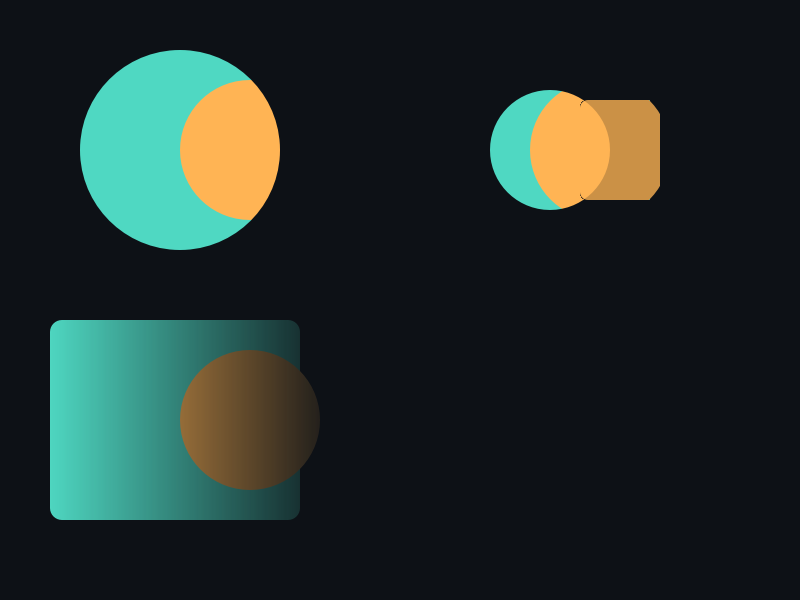
// Alpha 遮罩:遮罩源的不透明度决定可见程度
xgeShapeExSceneMaskShapeSet(content, mask,
    XGE_SHAPE_EX_MASK_ALPHA);
xgeShapeExDestroy(mask);

// 查询当前遮罩
int iMethod, iType;
xge_shape_ex pMaskShape;
xgeShapeExSceneMaskGet(content, &iMethod, &iType,
    &pMaskShape, NULL);
完整代码
将以下代码保存为 ch68_main.c,编译后运行即可看到圆形遮罩动画揭示效果:
#include "xge.h"

static xge_shape_ex_scene g_content = NULL;
static float g_fRadius = 10.0f;
static int   g_iGrow = 1;

static int onFrame(void* pUser) {
    (void)pUser;
    xgeClear(0x081114FF);

    // 动画遮罩圆半径
    g_fRadius += g_iGrow ? 2.0f : -2.0f;
    if (g_fRadius > 280.0f) g_iGrow = 0;
    if (g_fRadius < 10.0f)  g_iGrow = 1;

    // 重建遮罩 Shape
    xge_shape_ex mask = NULL;
    xgeShapeExCreate(&mask);
    xgeShapeExAppendCircle(mask, 400, 300, g_fRadius, 1);
    xgeShapeExFillColor(mask, 0xFFFFFFFF);
    xgeShapeExSceneMaskShapeSet(g_content, mask,
        XGE_SHAPE_EX_MASK_ALPHA);
    xgeShapeExDestroy(mask);

    xgeShapeExSceneDraw(g_content, 0.25f);
    return XGE_OK;
}

int main(void) {
    xge_desc_t d = {0};
    d.iWidth  = 800;
    d.iHeight = 600;
    d.sTitle  = "ch68 - Scene Mask Reveal";
    d.iFlags  = XGE_INIT_VSYNC;
    xgeInit(&d);

    // 构建内容组:彩色网格
    xgeShapeExSceneCreate(&g_content);
    for (int r = 0; r < 6; r++) {
        for (int c = 0; c < 8; c++) {
            xge_shape_ex cell = NULL;
            xgeShapeExCreate(&cell);
            xgeShapeExAppendRect(cell,
                100+c*80, 80+r*80, 70,70, 6,6, 1)
            unsigned int colors[] = {
                0xFF6B5EFF,0xFFB454FF,0x4FD8C2FF,0x7C6BFFFF};
            xgeShapeExFillColor(cell, colors[(r+c)%4]);
            xgeShapeExSceneAdd(g_content, cell);
            xgeShapeExDestroy(cell);
        }
    }

    xgeRun(onFrame, NULL);
    xgeShapeExSceneMaskClear(g_content);
    xgeShapeExSceneDestroy(g_content);
    xgeUnit();
    return 0;
}
代码讲解
- 动画遮罩:每帧重建圆形 mask Shape 并设置到 Scene,半径从 10 增长到 280 再缩回,形成“聚光灯”效果。
- MASK_ALPHA:遮罩源的不透明度决定内容可见程度,圆内完全可见,圆外完全隐藏。
- 彩色网格:内容组由 6×8 个圆角矩形组成,展示遮罩揭示复杂场景的能力。
- MaskClear:退出前清除遮罩状态,确保不残留引用。
要点与陷阱
- ALPHA vs LUMA:ALPHA 用遮罩的 α 通道;LUMA 用亮度值(适合灰度图遮罩)。
- Scene 遮罩:MaskSceneSet 允许用一整棵子树作为复杂遮罩源。
- 遮罩坐标:遮罩源使用 Scene 的局部坐标系,受 Scene 变换影响。
- MaskClear:清除后恢复正常渲染,不销毁遮罩源对象。
进阶练习
- 实现"聚光灯"效果:动画改变遮罩圆半径。
- 用渐变 Shape 做 Luma 遮罩实现柔和边缘过渡。