API 速查
| 函数 | 说明 |
|---|---|
int xgeShapeExFillColor(xge_shape_ex pShape, uint32_t iColor) | 设置纯色填充 |
int xgeShapeExFillColorGet(xge_shape_ex pShape, uint32_t* pColor) | 获取填充颜色 |
int xgeShapeExFillTypeGet(xge_shape_ex pShape, int* pType) | 获取填充类型(纯色/渐变) |
编译本章示例
gcc -O2 -I. -o ch41.exe ch41_main.c build\xge.lib -lm -lws2_32 -liphlpapi -lgdi32 -luser32 -lshell32 -lopengl32 -lole32 -lwinmm -lavrt
.\ch41.exe
示例 1:基本纯色填充
xge_shape_ex shape = NULL;
xgeShapeExCreate(&shape);
xgeShapeExAppendCircle(shape, 400, 300, 120, 120, 1);

// 设置填充色
xgeShapeExFillColor(shape, 0x4FD8C2FF);
xgeShapeExDraw(shape, 0.25f);

// 查询当前填充色
uint32_t color;
xgeShapeExFillColorGet(shape, &color);
示例 2:半透明填充
// Alpha = 0x80(50% 透明)
xgeShapeExFillColor(shape, 0xFF6B5E80);
xgeShapeExDraw(shape, 0.25f);

// 叠加效果:两个半透明图形重叠区域更亮
xgeShapeExTransformTranslate(shape, 60, 0);
xgeShapeExDraw(shape, 0.25f);
完整代码
将以下代码保存为 ch41_main.c,编译后运行即可看到纯色填充与半透明叠加效果:
#include "xge.h"

static int onFrame(void* pUser) {
    (void)pUser;
    xgeClear(0x081114FF);

    // 不透明填充
    xge_shape_ex c1 = NULL;
    xgeShapeExCreate(&c1);
    xgeShapeExAppendCircle(c1, 200, 200, 100, 100, 1);
    xgeShapeExFillColor(c1, 0x4FD8C2FF);
    xgeShapeExDraw(c1, 0.25f);
    xgeShapeExDestroy(c1);

    // 半透明叠加(Alpha=0x80)
    xge_shape_ex c2 = NULL;
    xgeShapeExCreate(&c2);
    xgeShapeExAppendCircle(c2, 350, 200, 100, 100, 1);
    xgeShapeExFillColor(c2, 0xFF6B5E80);
    xgeShapeExDraw(c2, 0.25f);
    xgeShapeExDestroy(c2);

    // 查询填充色
    xge_shape_ex c3 = NULL;
    xgeShapeExCreate(&c3);
    xgeShapeExAppendRect(c3, 150, 380, 500, 100, 16, 16, 1);
    xgeShapeExFillColor(c3, 0xFFB454FF);
    uint32_t color;
    xgeShapeExFillColorGet(c3, &color);
    (void)color;
    xgeShapeExDraw(c3, 0.25f);
    xgeShapeExDestroy(c3);

    return XGE_OK;
}

int main(void) {
    xge_desc_t d = {0};
    d.iWidth  = 800;
    d.iHeight = 600;
    d.sTitle  = "ch41 - Solid Fill";
    d.iFlags  = XGE_INIT_VSYNC;
    xgeInit(&d);
    xgeRun(onFrame, NULL);
    xgeUnit();
    return 0;
}
代码讲解
- FillColor:设置纯色填充,颜色格式 0xRRGGBBAA,Alpha 在最后。
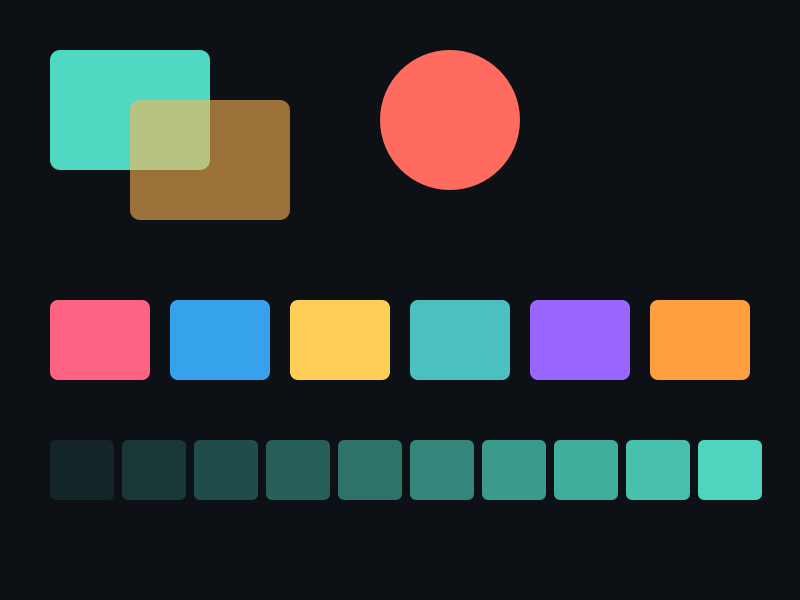
- 半透明叠加:Alpha=0x80 表示 50% 透明,重叠区域颜色混合。
- FillColorGet:可查询当前填充色,用于状态保存/恢复。
- 默认无填充:新创建的 ShapeEx 没有填充,必须设置后才可见。
要点与陷阱
- 默认无填充:新创建的 ShapeEx 没有填充,Draw 不会绘制任何内容(除非设置了描边)。
- FillColor 覆盖渐变:调用 FillColor 后,之前的渐变设置被清除。
- 颜色格式:0xRRGGBBAA,注意 Alpha 在最后。
- FillTypeGet:可判断当前是纯色还是渐变填充。
进阶练习
- 实现颜色动画:每帧改变填充色的 Hue,形成彩虹循环。
- 用不同 Alpha 值绘制 5 个重叠圆,观察透明度叠加效果。