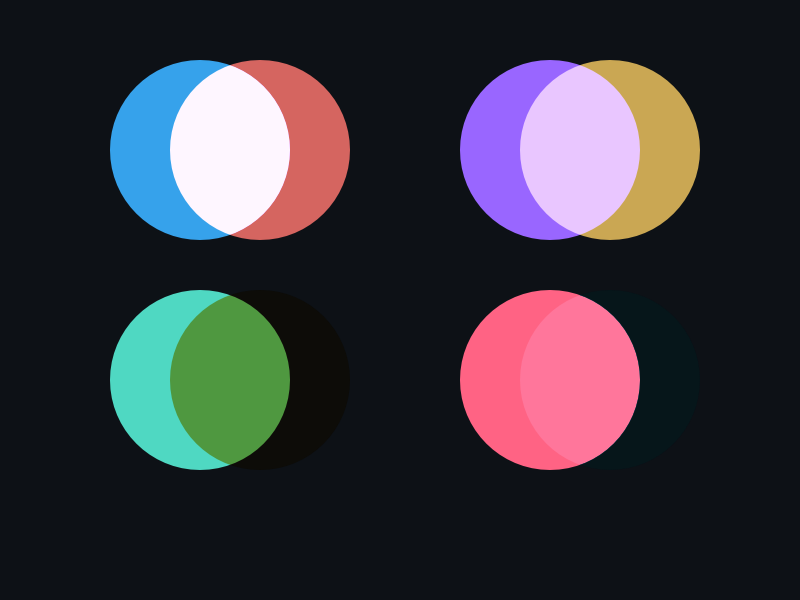
概念
- Shape 级 Blend:仅对该 Shape 的 Draw 生效,绘制完自动恢复全局状态。
- BlendClear:清除 Shape 级设置,回退到全局混合模式。
- 枚举值:与第 12 章 XGE_BLEND_* 完全一致(18 种)。
API 速查
| 函数 | 说明 |
|---|---|
int xgeShapeExBlend(xge_shape_ex pShape, int iBlend) | 设置 Shape 级混合模式 |
int xgeShapeExBlendClear(xge_shape_ex pShape) | 清除(回退全局) |
int xgeShapeExBlendGet(xge_shape_ex pShape, int* pBlend, int* pBlendSet) | 获取混合模式及是否已设置 |
编译本章示例
gcc -O2 -I. -o ch54.exe ch54_main.c build\xge.lib -lm -lws2_32 -liphlpapi -lgdi32 -luser32 -lshell32 -lopengl32 -lole32 -lwinmm -lavrt
.\ch54.exe
示例:Additive 发光叠加
// 底层:深色背景矩形
xge_shape_ex bg = NULL;
xgeShapeExCreate(&bg);
xgeShapeExAppendRect(bg, 0,0, 800,600, 0,0, 1);
xgeShapeExFillColor(bg, 0x0A0A1AFF);
xgeShapeExDraw(bg, 0.25f);

// 上层:Additive 发光圆
xge_shape_ex glow = NULL;
xgeShapeExCreate(&glow);
xgeShapeExAppendCircle(glow, 400, 300, 100, 100, 1);
xgeShapeExFillColor(glow, 0xFFB45480);
xgeShapeExBlend(glow, XGE_BLEND_ADD);
xgeShapeExDraw(glow, 0.25f);
完整代码
将以下代码保存为 ch54_main.c,编译后运行即可看到 Additive 发光叠加效果:
#include "xge.h"

static int onFrame(void* pUser) {
    (void)pUser;
    xgeClear(0x081114FF);

    // 深色背景
    xge_shape_ex bg = NULL;
    xgeShapeExCreate(&bg);
    xgeShapeExAppendRect(bg, 0,0, 800,600, 0,0, 1);
    xgeShapeExFillColor(bg, 0x0A0A1AFF);
    xgeShapeExDraw(bg, 0.25f);
    xgeShapeExDestroy(bg);

    // 多层 Additive 发光圆
    uint32_t colors[] = { 0xFF444480, 0x44FF4480, 0x4444FF80 };
    float xs[] = { 300.0f, 400.0f, 500.0f };
    for (int i = 0; i < 3; i++) {
        xge_shape_ex glow = NULL;
        xgeShapeExCreate(&glow);
        xgeShapeExAppendCircle(glow, (int)xs[i], 300, 120, 120, 1);
        xgeShapeExFillColor(glow, colors[i]);
        xgeShapeExBlend(glow, XGE_BLEND_ADD);
        xgeShapeExDraw(glow, 0.25f);
        xgeShapeExDestroy(glow);
    }
    return XGE_OK;
}

int main(void) {
    xge_desc_t d = {0};
    d.iWidth  = 800;
    d.iHeight = 600;
    d.sTitle  = "ch54 - Blend Mode";
    d.iFlags  = XGE_INIT_VSYNC;
    xgeInit(&d);
    xgeRun(onFrame, NULL);
    xgeUnit();
    return 0;
}
代码讲解
- xgeShapeExBlend:为单个 Shape 设置混合模式,Draw 内部临时切换,绘制完恢复。
- XGE_BLEND_ADD:颜色相加,重叠区域变亮,适合发光/光晕效果。
- 多层叠加:三个半透明圆重叠处颜色累加,产生白光效果。
- BlendClear:清除 Shape 级混合,回退到全局 xgeBlendSet 设置。
要点与陷阱
- 临时性:Draw 内部切换混合模式,绘制完恢复,不影响其他 Shape。
- pBlendSet 输出:0 = 未设置(使用全局),1 = 已设置 Shape 级。
- 性能:频繁切换混合模式会打断批处理,同模式 Shape 尽量连续绘制。
- 与全局共存:未设置 Shape 级时,使用 xgeBlendSet 的全局值。
进阶练习
- 用 Multiply 混合实现阴影叠加效果。
- 用 Screen 混合实现多层光晕叠加。