概念
- 矩形裁剪:最高效的裁剪方式,GPU 硬件 scissor 直接支持。
- 坐标系:裁剪矩形在当前变换空间中定义。
- 与全局 Clip 独立:Shape 级 ClipRect 与 xgeClipSet 互不干扰。
API 速查
| 函数 | 说明 |
|---|---|
int xgeShapeExClipRectSet(xge_shape_ex pShape, xge_rect_t tRect) | 设置矩形裁剪 |
int xgeShapeExClipRectGet(xge_shape_ex pShape, xge_rect_t* pRect, int* pEnabled) | 获取裁剪矩形及启用状态 |
int xgeShapeExClipClear(xge_shape_ex pShape) | 清除所有裁剪 |
编译本章示例
gcc -O2 -I. -o ch58.exe ch58_main.c build\xge.lib -lm -lws2_32 -liphlpapi -lgdi32 -luser32 -lshell32 -lopengl32 -lole32 -lwinmm -lavrt
.\ch58.exe
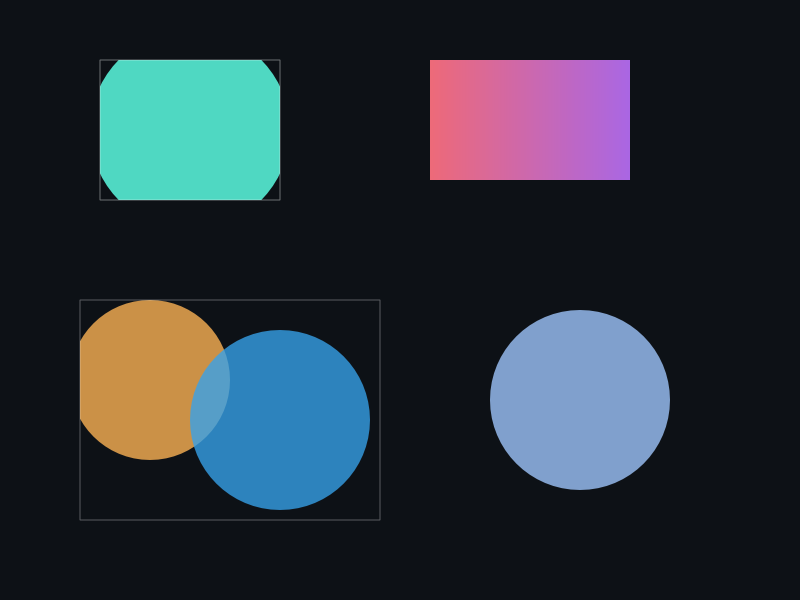
示例:窗口内裁剪
xge_shape_ex shape = NULL;
xgeShapeExCreate(&shape);
xgeShapeExAppendCircle(shape, 400, 300, 250, 250, 1);
xgeShapeExFillColor(shape, 0x4FD8C2FF);

// 只绘制矩形区域内的部分
xge_rect_t clip = { 200, 150, 400, 300 };
xgeShapeExClipRectSet(shape, clip);

xgeShapeExDraw(shape, 0.25f);

// 查询裁剪状态
xge_rect_t rc;
int bEnabled;
xgeShapeExClipRectGet(shape, &rc, &bEnabled);
完整代码
将以下代码保存为 ch58_main.c,编译后运行即可看到矩形裁剪效果:
#include "xge.h"

static int onFrame(void* pUser) {
    (void)pUser;
    xgeClear(0x081114FF);

    // 大圆,被矩形裁剪
    xge_shape_ex shape = NULL;
    xgeShapeExCreate(&shape);
    xgeShapeExAppendCircle(shape, 400, 300, 250, 250, 1);
    xgeShapeExFillColor(shape, 0x4FD8C2FF);

    // 只绘制矩形区域内的部分
    xge_rect_t clip = { 200, 150, 400, 300 };
    xgeShapeExClipRectSet(shape, clip);
    xgeShapeExDraw(shape, 0.25f);
    xgeShapeExDestroy(shape);

    // 绘制裁剪区域边框(参考)
    xge_shape_ex border = NULL;
    xgeShapeExCreate(&border);
    xgeShapeExAppendRect(border, 200,150, 400,300, 0,0, 1);
    xgeShapeExStrokeColor(border, 0xFFB454FF);
    xgeShapeExStrokeWidth(border, 2.0f);
    xgeShapeExDraw(border, 0.25f);
    xgeShapeExDestroy(border);
    return XGE_OK;
}

int main(void) {
    xge_desc_t d = {0};
    d.iWidth  = 800;
    d.iHeight = 600;
    d.sTitle  = "ch58 - Rect Clip";
    d.iFlags  = XGE_INIT_VSYNC;
    xgeInit(&d);
    xgeRun(onFrame, NULL);
    xgeUnit();
    return 0;
}
代码讲解
- ClipRectSet:设置矩形裁剪区域,只绘制该矩形内的内容。
- GPU scissor:矩形裁剪利用硬件 scissor test,几乎零额外开销。
- 硬边界:裁剪边缘是锐利的(无过渡),与遮罩的软边缘不同。
- ClipClear:清除所有裁剪(矩形+形状)。
要点与陷阱
- 高性能:矩形裁剪利用 GPU scissor,几乎零额外开销。
- ClipClear:同时清除矩形裁剪和形状裁剪。
- 变换影响:裁剪矩形受 Shape Transform 影响。
- 与遮罩区别:裁剪是硬边界(锯齿),遮罩支持软边缘过渡。
进阶练习
- 实现滚动窗口:移动 ClipRect 位置模拟内容滚动。
- 用矩形裁剪实现分屏对比效果。